


Mastering Your Gadgets
If you're like me, you've picked up your computer skills from being shown something--usually too quickly--and supplemented that with the so-called "help" feature and some Google searches. You learn a task one way, then perhaps discover there is another way; one of life's great mysteries is that the other way is always shorter and easier. But usually you are just mired in habit (and frustration).
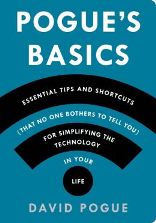 Help is at hand with Pogue's Basics by David Pogue (Flatiron Books, $19.99 paperback). It's subtitled Essential Tips and Shortcuts (That No One Bothers to Tell You) for Simplifying the Technology in Your Life. And Pogue delivers. I have a Mac, and now I know how to type accents and symbols with the option key. ¡ © ∞ π ! Those Google searches for tech support? If you add "solved" to your query, you'll see only the discussions where your question is answered. Even more basic: don't turn off your laptop during the week; just close the lid, and shut it down once a week or if you aren't going to use it for a few days. On/off in an instant.
Pogue offers camera tips, too: direct sunlight makes for terrible portraits, and how to make a tripod using a table lamp or an eyehook and string. Smart phones: how to find your lost phone, save a map to use offline, bring a wet phone back from the dead, and what Siri is actually good for. E-mail: use temporary e-mail addresses for verification, so spammers don't get your actual info; fake e-mail stories--verify with snopes.com. Google: as in Pogue's other chapters, much information will be obvious to many users, but not all--I just learned that if I want to search for dolphins (the creatures, not the team), I type dolphins -Miami, and the minus sign eliminates the city.
225 tips to make life easier, from gadget basics to social networks: tweet that! --Marilyn Dahl, editor, Shelf Awareness for Readers